
Subscription Plans
Free, Personal, Atelier, and Studio — what's included and how billing works.
INTEBEE has four plans. The subscription belongs to the workspace and is managed by an admin from the Subscription page (see Roles and permissions).

The lineup
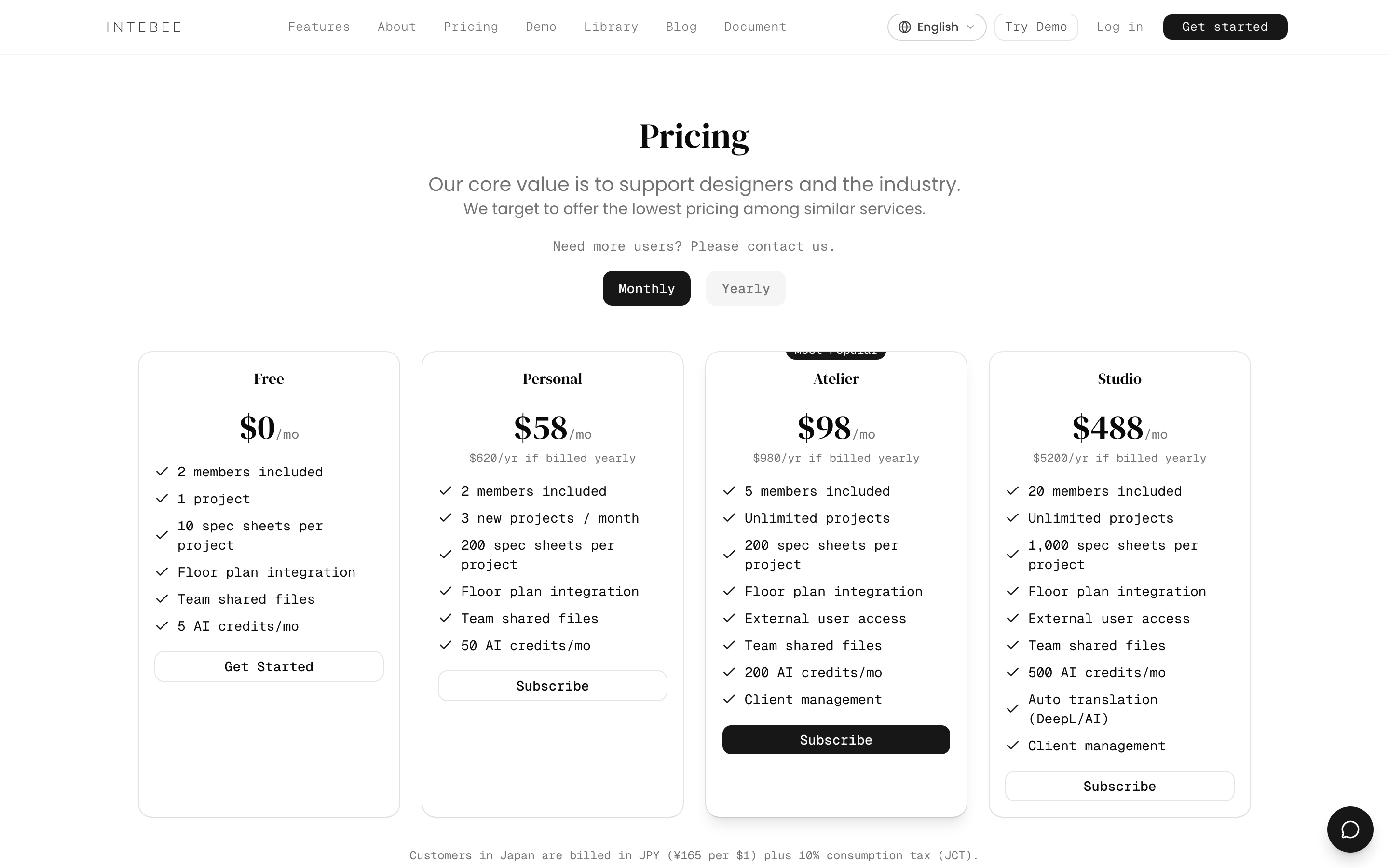
| Free | Personal | Atelier | Studio | |
|---|---|---|---|---|
| Price | $0 | $58/mo · $620/yr | $248/mo · $2,630/yr | $488/mo · $5,200/yr |
| Projects | 1 total | 3 new / month | Unlimited | Unlimited |
| Members (incl. owner) | 2 | 2 | 4 | 20 |
| Spec sheets / project | 10 | 200 | 200 | 5,000 |
| Floor plans / project | 1 | 1 | 8 | 10 |
| External users / project | — | — | 1 | 5 |
| AI credits / month | 3 | 30 | 150 | 300 |
| Buy extra AI credits | — | ✓ | ✓ | ✓ |
| My Library items | 50 | 200 | 500 | 2,000 |
| Team files | 5 | 20 | 30 | 80 |
| Files / project | 6 | 20 | 30 | 80 |
| Client management | — | ✓ | ✓ | ✓ |
| Second language on spec sheets | — | — | — | ✓ |
| Auto translation | — | — | — | ✓ |
| Backup add-on | — | — | — | ✓ |
Personal suits freelance designers and solo studios; Atelier small teams; Studio full firms. Current prices and limits are always shown on the pricing page.
How limits work
Limits apply to creating new data only. If you downgrade, nothing is deleted — you just can't create new items of a type that exceeds the smaller plan until you're back within its limits (or upgrade again). Restoring a spec sheet from Trash counts as adding one, so it needs a free slot under your plan's spec-sheet limit.
Billing mechanics
- Cycles — monthly or yearly, billed in advance via Stripe; yearly saves roughly a month or more. The badge next to the Yearly switch shows the largest saving the current yearly prices actually give (for example "Save up to 11%").
- Switching plans — an upgrade between paid plans is charged right away (the prorated difference) and takes effect once that payment succeeds; if the payment fails or needs confirmation, your plan stays as it is — update your payment method in Manage Billing and try again. A downgrade prorates the difference on your next invoice. A dialog confirms the switch first (Switch plan). The plan cards are always in order — Free, Personal, Atelier, Studio — with your current plan highlighted.
- Cancel — from the billing portal; your workspace moves to Free at the end of the paid period.
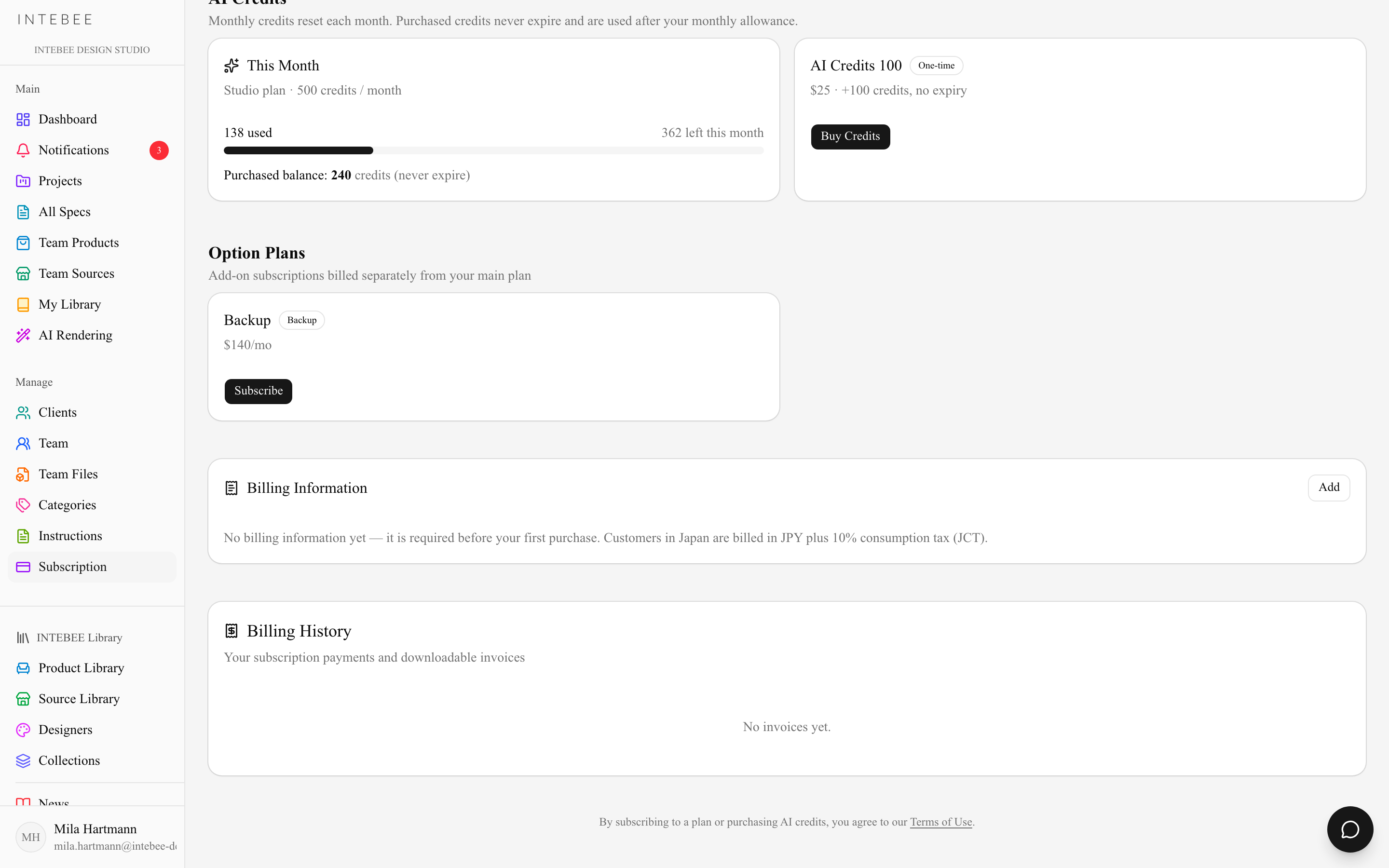
- Billing History — the Subscription page lists your subscription payments with downloadable invoices.
Add-ons
- AI credit packs — one-time packs of 100 credits ($25) for paid plans (details).
- Backup — automated nightly backups: an Excel workbook of every table and a ZIP of your images and documents, available on Studio (details).
- Member seats — where extra seat bundles are offered for larger teams, they appear as options on the Subscription page.