
Suggest from Library
Instant, free product suggestions from your libraries — filter by style, color, and material.
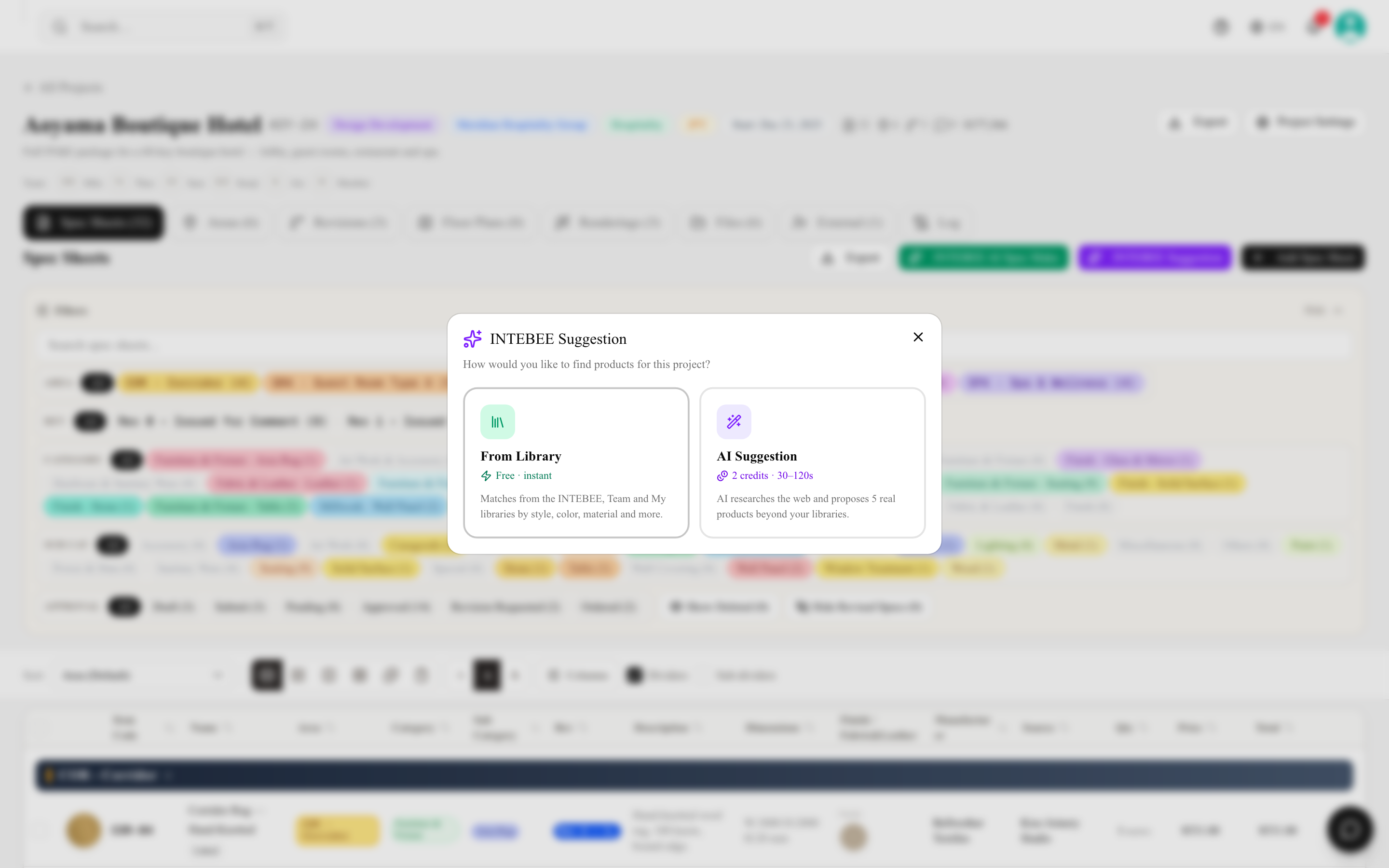
From Library proposes products for your project from what you already have access to — the INTEBEE catalog, your Team Products, and your My Library — instantly and without consuming any AI credits.
How to use it
- Open a project's Spec Sheets tab and click INTEBEE Suggestion. A chooser appears with two options: From Library (free, instant) and AI Suggestion (2 credits). Choose From Library.
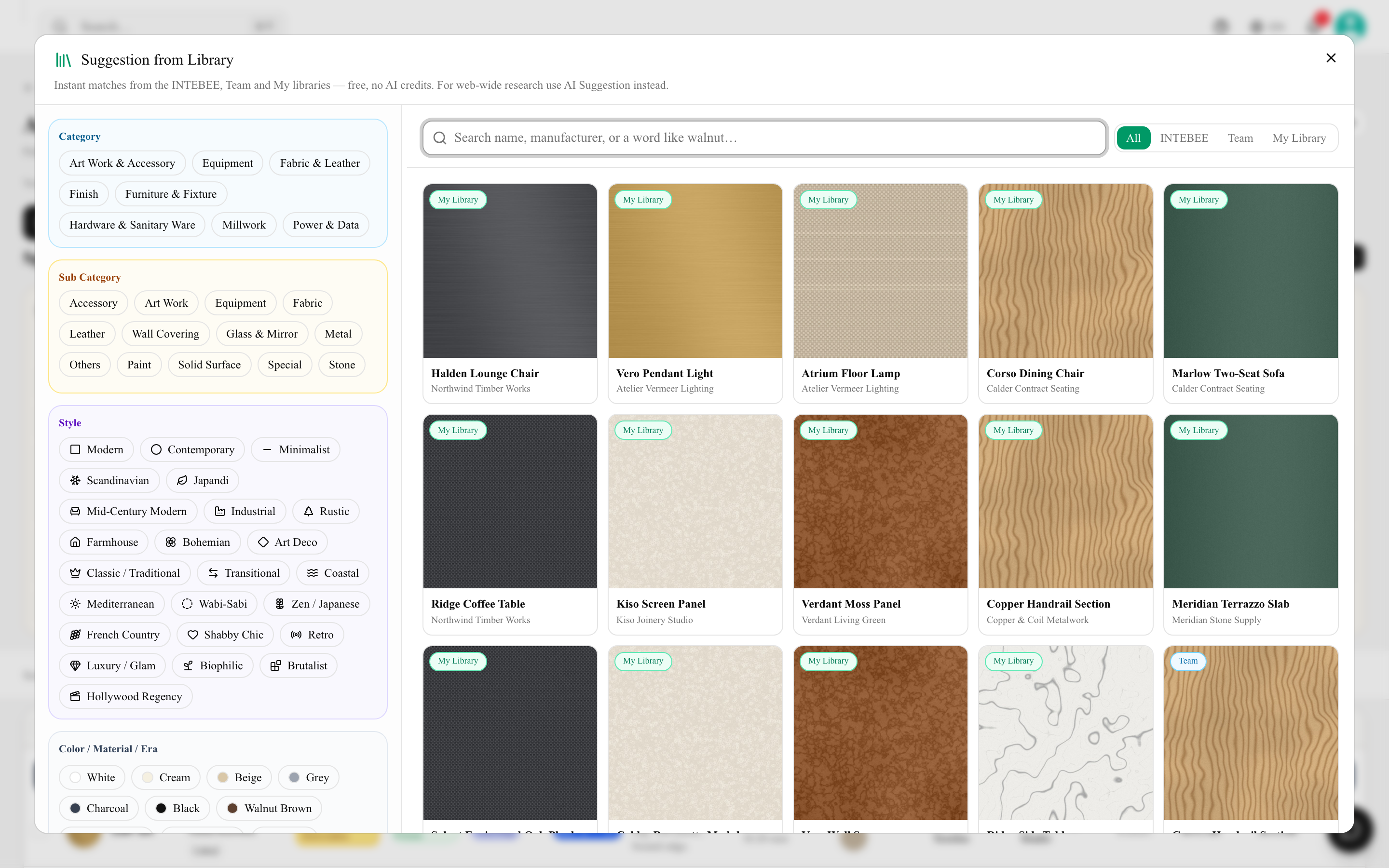
- Narrow the candidates with filters:
- Style — Mid-Century Modern, Japandi, Industrial, Scandinavian…
- Color and material — oak, brass, marble, velvet, bouclé…
- Era, category, and a free-word search (e.g. "walnut").
- Results appear in under a second — no waiting, no credits.
- Pick a candidate, choose the target area, and click Create Spec Sheet from this — a draft sheet opens in the editor pre-filled with the product's data. The new sheet is linked to the product (as with Import from Product), is placed in its category — the sub category you filtered by, or else the product's own — and gets its Item Code straight away.
How it works
Every product in the INTEBEE catalog, your team catalog, and your library is pre-tagged with a unified vocabulary (style, color, material, era…) by AI in the background. Because the tagging already happened, suggesting is a plain database lookup — that's why it's instant and free. Tagging of newly added products runs as a background job that is rate-limited, so a product you have just created may not be taggable straight away; the free-word search finds it in the meantime.
From Library vs. AI Suggestion
| From Library | AI Suggestion | |
|---|---|---|
| Source | Your libraries + INTEBEE catalog | The web |
| Speed | Instant | 30–120 seconds |
| Cost | Free | 2 AI credits |
| Best for | Reusing what you trust | Discovering something new |
Start with the library — if nothing fits, go to the web.